Спампуйце LibreOffice
 26.8.1
Наладзьце параметры спампоўвання ніжэй.
Іншыя версіі і метады ўсталёўкі
Наладзьце загрузку
Main package download of LibreOffice 26.8.1 for Windows (x86-64).
Спампаваць праз торэнт або паглядзець усе спасылкі на люстэркі.
Спампоўванне дадатковых моўных пакетаў
Здаецца, у вашым вэб-браўзеры адключаны JavaScript.
Вы можаце атрымаць непасрэдны доступ да пакетаў, звязаных з мовай, у спісы файлаў.
Даступныя моўныя пакеты ў English (GB):
Перакладзены карыстальніцкі інтэрфейс: English (GB) (Торэнт, спіс люстэрак)
Дапамога для выкарыстання па-за сеткай: English (GB) (Торэнт, спіс люстэрак)

Альтэрнатыўныя метады ўсталёўкі, SDK і зыходны код
Старыя версіі LibreOffice (больш не абнаўляюцца!) даступныя ў архіве
Новыя магчымасці
Націскаючы кнопку ніжэй, вы згаджаецеся на прагляд кантэнту са старонніх сайтаў (YouTube) і на перадачу і апрацоўку вашых персанальных дадзеных, як пазначана ў [палітыцы прыватнасці YouTube] (https://policies.google.com/privacy).
LibreOffice 26.8 наша найноўшая стабільная версія, уключае новыя магчымасці, паляпшэнні прадукцыйнасці, выпраўленні і іншае…
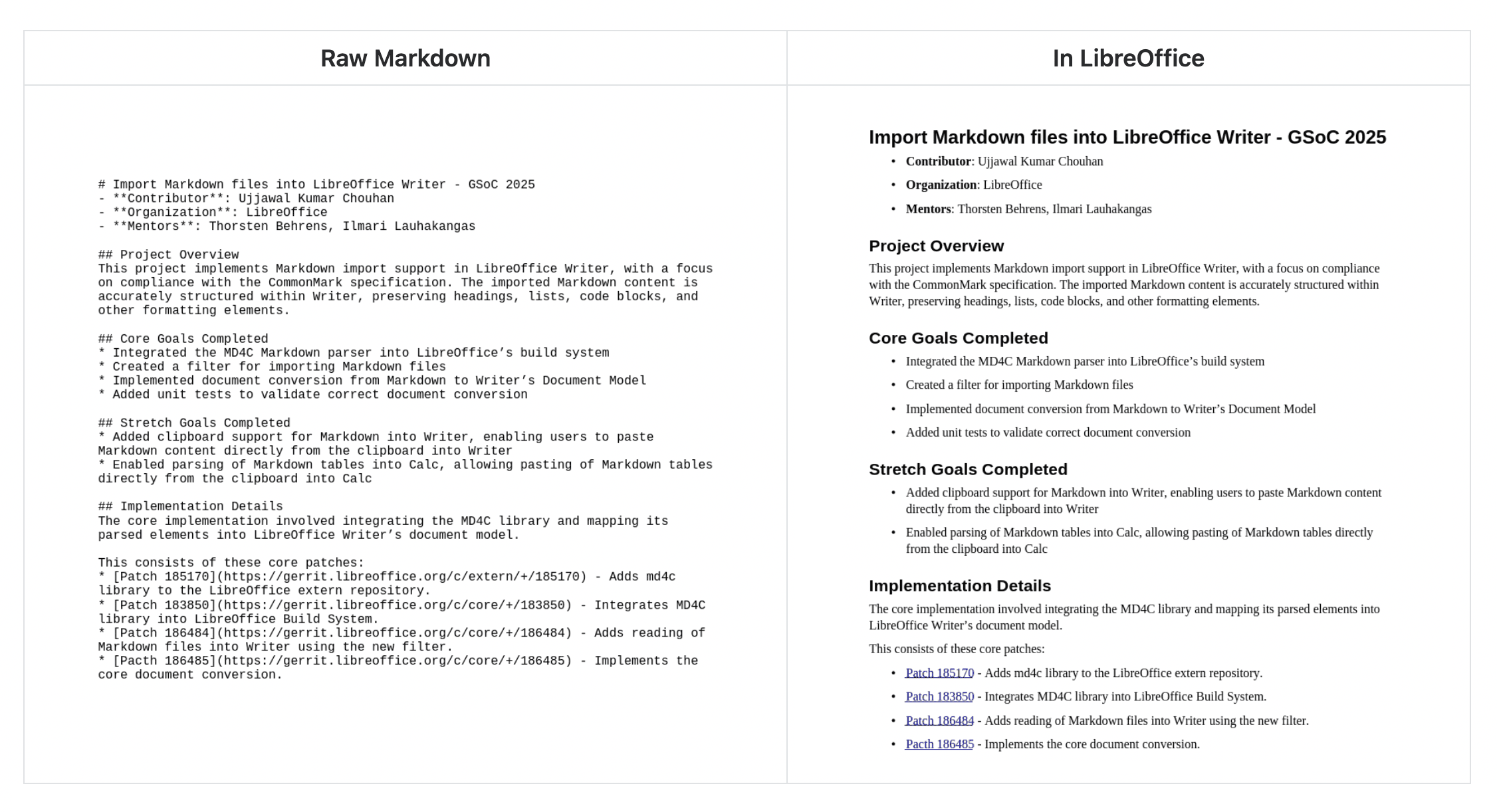
Падтрымка Markdown
Імпартуйце і экспартуйце дакументы ў Markdown, папулярную, лёгкую мову разметкі.
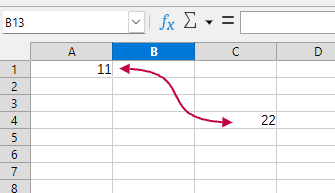
Злучальнікі ў Calc і Writer
Злучайце аб’екты ў Writer гэтак жа, як у Impress і Draw. Стварайце візуальныя сувязі паміж ячэйкамі ў Calc, выбіраючы ў меню: Устаўка > Фігура > Злучальнікі.
Паляпшэнні прадукцыйнасці
Працуйце хутчэй: павышана прадукцыйнасць экспарту ў EPUB, хуткасці пракруткі, экспарту SVG з растравымі выявамі, 3D-дыяграм і шмат іншага.
І шмат іншага
Поўны спіс змяненняў у версіях, якія падтрымліваюцца, гл. у нашым release notes.