הורדת LibreOffice
 26.8.1
Customize your download below.
גרסאות ושיטות התקנה נוספות
הגדרת ההורדה שלך

שיטות התקנה חלופיות, ערכת פיתוח (SDK) וקוד מקור
גרסאות ותיקות יותר של LibreOffice (אינן מתעדכנות עוד!) זמינות בארכיון
יכולות חדשות
לחיצה על הכפתור להלן מביעה את הסכמתך להצגת תוכן מגורם צד־שלישי (YouTube) ולהעברת ועיבוד הנתונים האישיים שלך בכפוף למדיניות הפרטיות של YouTube.
LibreOffice 26.8 היא הגרסה היציבה העדכנית ביותר שלנו, היא כוללת יכולות חדשות, שיפורי ביצועים, תיקונים ועוד…
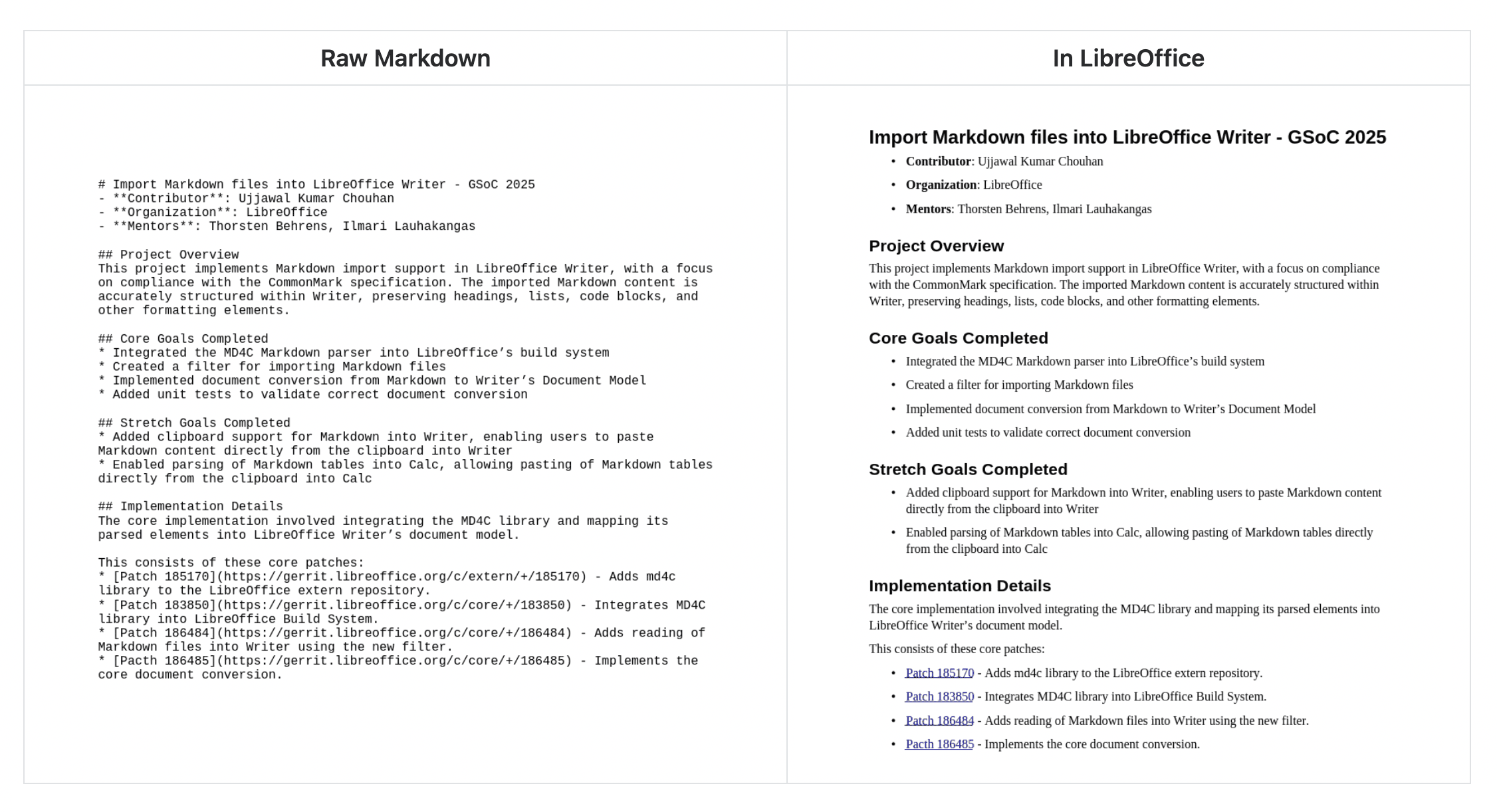
תמיכה ב־Markdown
ייבוא וייצוא מסמכים ב־Markdown, שפת סימון קלילה נפוצה.
מחברים ב־Calc וב־Writer
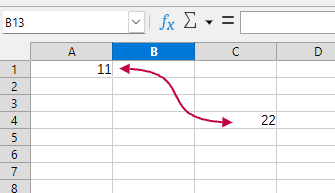
Connect objects in Writer just like in Impress and Draw. Create visual connections in Calc between cells by going to Insert > Shape > Connectors in the menu.
שיפורי ביצועים
עבודה מהירה יותר: ייצוא ל־EPUB, מהירות גלילה, ייצוא של SVG עם מפות סיביות, תרשימים תלת־ממדיים ומגוון דברים נוספים זכו לשיפור ביצועים.
ועוד מגוון דברים נוספים
לרשימת השינויים המלאה בגרסאות המתוחזקות אפשר לגשת אל הערות המהדורות שלנו.